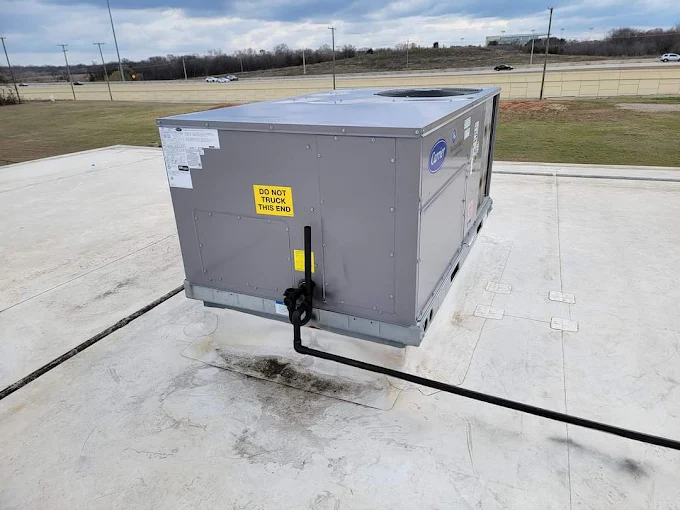
Emergency Commercial HVAC Maintenance When Systems Fail
When a heating or cooling system stops working during a busy day, the problem is rarely “just one part.” This guide helps Dallas and Richardson property owners understand what to check right away, what causes most failures, and how to prevent the next breakdown.
Last Friday, the lobby stayed too warm for hours. The thermostat was set correctly, the building was staffed, and yet the HVAC system kept cycling or went completely quiet. By the time the maintenance request reached the right person, the facility was already dealing with comfort complaints and workflow interruptions.
If you manage a commercial property in Dallas, you have probably seen this pattern: a system that worked “fine yesterday” suddenly fails when occupancy is highest. This guide walks you through the immediate checks that reduce downtime, the maintenance steps that improve reliability, and the questions to ask so the fix addresses the real cause, not just the symptom.
- Quick answer
- What to check first
- Main things customers should understand
- Why this matters in Dallas, TX
- Common mistakes to avoid
- Customer checklist
- Frequently asked questions
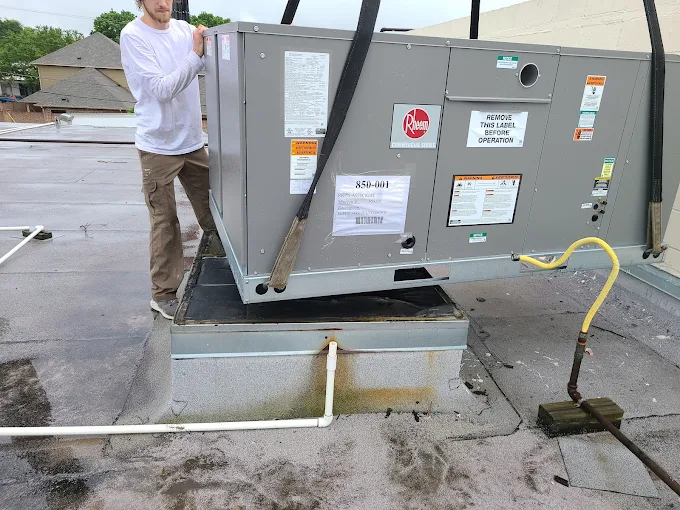
Quick Answer
When commercial HVAC fails, start with the basics: verify power to the equipment, confirm the thermostat mode and settings, and check for obvious airflow restrictions or tripped safety switches. If the system won’t start, keeps short-cycling, or blows air that feels wrong, avoid repeated resets. Instead, document what you observe (sounds, error codes, run behavior) and schedule HVAC service focused on both the failing component and the underlying maintenance issue. TemperaturePro can help with targeted commercial HVAC repair and maintenance so your system is reliable again.
What to Check First
In the first 15 to 30 minutes after a failure, your goal is not to “repair” the unit. It is to identify whether the problem is a simple control or safety issue, or whether the system needs deeper diagnostic work. For many Dallas commercial sites, the fastest path to resolution starts with power, control, and airflow checks.
Professional observation: Many “emergencies” are triggered by small issues that block normal operation, such as an airflow restriction, a tripped safety, or a control setting mismatch. Catching those early prevents repeated cycling and protects equipment from secondary damage.
Here is what to check immediately:
- Thermostat and controls: Confirm the unit is in the correct mode (heat vs. cool), the setpoint is reasonable, and the schedule is calling for operation.
- Power and safety: Look for tripped breakers, disconnected power switches, or safety devices that reset only after conditions are corrected.
- Airflow: Check for blocked return grilles, closed dampers, or obvious duct obstructions that can cause overheat or freeze conditions.
- System behavior: Note whether the unit tries to start, how long it runs, any unusual sounds, and whether airflow changes when the system cycles.
- Visible indicators: Watch for signs like ice buildup on cooling components or lack of heat output during heating mode.
After these checks, the next step is usually diagnostic. If the system will not run, keeps shutting down quickly, or produces incorrect air temperatures, a service visit is the most practical path to restore stable operation.
Main Things Customers Should Understand
Commercial HVAC failures tend to fall into a few repeatable categories. Understanding them helps you communicate clearly to your HVAC contractor and reduces the chances of “fixing the wrong thing.”
Key idea: Emergency response works best when it includes maintenance thinking. A system that fails once may fail again if the underlying wear, cleanliness issues, or airflow problems are not addressed.
1) Control and safety interruptions
Control problems can prevent startup even when the equipment is physically capable of running. Safety interruptions can also stop operation to prevent damage. The practical takeaway is to avoid repeated resets and instead capture what the system is doing during the failure cycle.
2) Airflow and heat transfer issues
When airflow is restricted, the system cannot move heat effectively. For heating, that can lead to insufficient heat delivery or safety trips. For cooling, restricted airflow can contribute to freezing or poor performance. Maintenance that includes inspection and cleaning routines often reduces these events.
3) Maintenance gaps that show up under load
Commercial systems often run more hours than residential units. Over time, dust and debris accumulate, filters get neglected, and components experience normal wear. When a hotter or colder demand window hits, the system may reach a breaking point that maintenance should have prevented.
To keep the system stable, many facilities benefit from planned service that includes thorough inspections and maintenance routines. For example, furnace maintenance service and AC maintenance help keep heating and cooling components ready for high-demand periods.
Why This Matters in Dallas, TX
Dallas and Richardson buildings can see wide swings in heating and cooling demand across the year. That means commercial HVAC systems may experience repeated transitions between modes, and any maintenance weakness becomes more noticeable when demand rises. On hot days, cooling performance and airflow stability are key. When the season shifts, heating performance depends on safe, consistent operation and clean heat transfer surfaces.
In practice, the most reliable approach is to treat “emergency repairs” as a starting point for a maintenance review. After a failure, the service visit should clarify whether the issue was isolated or whether the system needs cleaning, inspection, or a maintenance tune to prevent a quick repeat.
Common Mistakes to Avoid
When a commercial HVAC system fails, it is easy to fall into habits that increase downtime or create extra work later. These mistakes often show up in Dallas properties where teams are trying to keep operations moving.
- Repeatedly resetting the system: If a safety or control condition is present, repeated resets can extend downtime and complicate diagnosis.
- Ignoring airflow restrictions: Closed dampers, blocked returns, or dirty components can cause the system to shut down or run inefficiently.
- Assuming the thermostat is the only issue: Thermostat problems exist, but equipment safety and component performance can also be the real cause.
- Skipping follow-up maintenance after a repair: A system that failed due to cleanliness, wear, or airflow problems may fail again if the maintenance gaps remain.
- Not documenting the failure: Without basic notes on behavior, sounds, or error codes, troubleshooting becomes slower.
Customer Checklist
Use this checklist internally so your team can respond quickly and give useful information to the HVAC technician. This is especially helpful for property managers and building staff in Dallas who may not diagnose HVAC systems day-to-day.
- Confirm thermostat mode (heat vs. cool) and check setpoint and scheduling.
- Verify power to the HVAC equipment and check for tripped breakers or switches.
- Check return grilles and supply registers for obstructions or blocked airflow.
- Observe system behavior: does it start, how long it runs, and what happens when it stops?
- Record any error codes or visible indicator lights (and when they appeared).
- Note any unusual sounds, odors, or visible icing during operation.
- Stop repeated resets once a pattern is established and contact service with your notes.
- Plan a maintenance follow-up after the repair to reduce repeat failures.
Representative Scenario
A property manager at a small retail center in Dallas notices that the heating system will start, run briefly, then shut down. The thermostat reads “heating,” but the space never reaches the setpoint. The maintenance staff checks the thermostat schedule and finds it calling for heat. They also confirm power is on and that return air pathways are not blocked. Because the shutdown pattern repeats, the team avoids further resets and calls for service.
During troubleshooting, the technician focuses on the full operating sequence: controls, safety behavior, and airflow conditions that affect heat delivery. After the underlying cause is corrected, the technician recommends a maintenance and inspection plan so the system is less likely to fail during the next cold period. If the building is also due for routine seasonal service, a tune-up and inspection can help prevent similar interruptions.
Get help restoring stable commercial HVAC operation
If your HVAC system is failing and you need a practical maintenance-focused approach, TemperaturePro can help troubleshoot and get your building back to reliable heating and cooling.
Contact TemperatureProFrequently Asked Questions
What should we do first when a commercial HVAC system stops working?
Start with the basics: confirm the thermostat mode and schedule are calling for operation, check that power is on to the HVAC equipment, and verify airflow is not blocked by closed dampers or obstructed returns. Then observe what the system does during the failure cycle. If it tries to start and shuts down quickly, or it runs but does not deliver the expected heating or cooling, avoid repeated resets and request service with notes about what you observed.
Is emergency HVAC maintenance different from regular maintenance?
Yes. Emergency maintenance is focused on restoring operation and preventing further damage, but it should still include a maintenance mindset. A system that fails due to airflow problems, cleanliness issues, or worn components often needs follow-up inspection and maintenance after the immediate repair. Regular maintenance then helps reduce the chance of a repeat failure during high-demand periods.
Why does the system cycle on and off during a failure?
Short cycling can happen when the system reaches a condition that triggers safety protection or when it cannot transfer heat properly due to airflow restrictions. It can also occur when controls do not match operating demand. The practical move is to document run behavior and error indicators and then have a technician diagnose the sequence. That approach identifies the underlying cause rather than repeatedly restarting the system.
Can HVAC problems be caused by dirty filters or airflow issues?
Dirty filters and airflow restrictions are common contributors to performance problems because the system depends on stable airflow to move heat. When airflow is limited, the system can struggle to heat or cool effectively and may trigger safety interruptions. After a failure, an inspection of airflow pathways and related components is often part of preventing the problem from returning.
What information should we provide to an HVAC technician?
Provide a clear timeline and observations: what time the issue started, what mode the thermostat was in, whether the unit tried to start, how long it ran, and what it did afterward. Include any error codes or visible indicator lights, plus notes about unusual sounds or icing. This helps the technician focus on the right causes faster and reduces unnecessary trial-and-error.
Plan maintenance now to reduce future downtime
After a failure, the smartest next step is a maintenance plan that supports stable operation. TemperaturePro offers heating and cooling maintenance services designed to keep systems ready for the next demand cycle in Dallas, TX.
Call (469) 275-1624About TemperaturePro
TemperaturePro is a local HVAC company serving Dallas, TX and Richardson, TX with heating and cooling services for commercial customers. From troubleshooting and repair to maintenance and inspection, our focus is on restoring comfort and helping systems run reliably. If your building’s HVAC system is failing or due for routine service, TemperaturePro can help you choose the next practical step based on what the equipment is actually doing.
TemperaturePro
Commercial HVAC maintenance and repair support for Dallas, TX.
If you are also troubleshooting heating performance, you can explore related heating service options like furnace tune-ups or furnace repair. For cooling-side inspections, AC inspections are a useful starting point when the system’s behavior suggests airflow or performance issues.