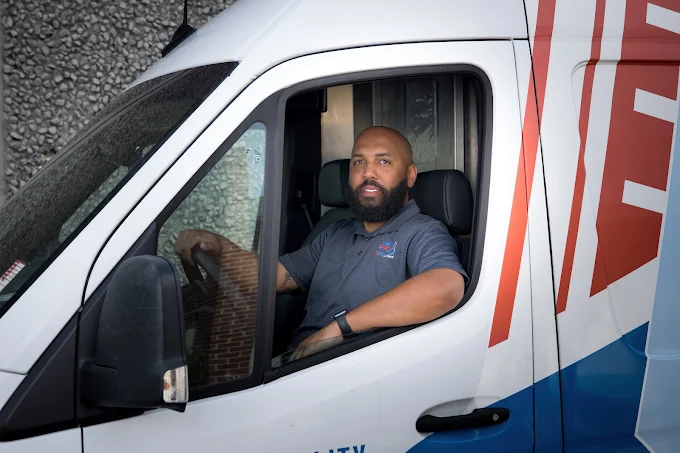
By the TemperaturePro team — serving Dallas, TX and nearby areas.
It’s 9:30 at night in Dallas, and the thermostat shows the temperature isn’t moving. You hear the AC kick on, but instead of cool air you’re getting a tepid blast—or nothing at all. Your kids are in sweatshirts, your guests are already uncomfortable, and the thought of waiting days for AC repair feels like an unnecessary risk.
This guide explains what to check when your air conditioner is acting up after hours, how to separate “fixable tonight” issues from “shut it down and call for HVAC repair” situations, and what decisions usually matter most for homeowners and local businesses in the Dallas area.
Quick Answer
If your AC isn’t cooling after hours, the safest approach is to check the thermostat and breaker, then look for clear warning signs (warm air, no airflow, ice on the unit, or unusual smells). If you see symptoms that suggest a refrigeration or electrical issue, call for professional emergency AC repair—especially if the system runs but won’t cool. TemperaturePro can help Dallas-area homeowners and businesses troubleshoot and restore comfort.
Key takeaway: “It runs but doesn’t cool” and “it blows warm air” often point to components that shouldn’t be guessed at. A technician can quickly narrow down the cause and prevent unnecessary damage.
What to Check First
You can do a few quick checks that don’t require tools or opening the equipment. The goal is to avoid wasting time—and to avoid making a minor issue worse.
- Check the thermostat settings: Make sure it’s set to Cool, the fan isn’t stuck on On when it should be Auto, and the temperature setting is below the current room temperature.
- Inspect for obvious airflow problems: If you have weak airflow from vents, the issue may be a blower/motor, filter restriction, or a system control problem.
- Look outside for “stop signs”: If you see ice on the outdoor unit or you notice the system is running without producing normal airflow, pause attempts and call for help.
- Check the breaker: If the outdoor unit isn’t running at all, a tripped breaker or a switch near the equipment could be the simplest explanation.
- Listen carefully: Clicking, grinding, or repeated cycling can indicate electrical or control faults that should be handled by a professional.
Pro tip: If your AC is “running but not cooling,” try not to keep lowering the thermostat repeatedly. Rapid re-calls can make short-cycling worse and increase wear on components.
Main Things Customers Should Understand
After-hours AC problems usually fall into a few categories. Understanding which bucket you’re in helps you choose the right next step (and avoid common detours).
1) AC Not Cooling vs. AC Not Running
These are different problems. If the unit runs but air is warm or weak, it may be related to airflow restriction, refrigerant issues, or a failed component. If the unit doesn’t run, power supply, a tripped breaker, or a control board issue may be involved.
2) Common symptom patterns
Here’s how homeowners often describe what they’re seeing:
| Symptom you notice | What it often suggests | Typical next step |
|---|---|---|
| AC Blowing Warm Air | Cooling cycle not engaging properly, refrigerant/controls, or airflow problems | Professional diagnostics to check system operation and airflow |
| AC Runs but Cycles Repeatedly | Protection controls, pressure/temperature issues, or a failing part | Call for HVAC repair to prevent repeated stress on the system |
| Ice on the outdoor unit or lines | Airflow restriction, low airflow, or other operating conditions | Stop repeated attempts; technician inspection recommended |
| No airflow from vents | Blower issue, filter restriction, or control signal problem | Check filter/vents first, then call if airflow remains absent |
3) Repair vs. replace—how the decision is usually made
Most emergency calls lead to a repair recommendation when the system can be restored safely and economically. However, if the equipment is aging or multiple components are failing, replacement may become the more practical option.
| Decision factor | When repair is often the better fit | When replacement is often considered |
|---|---|---|
| Severity and scope of damage | Single component failure or limited repairs | Multiple system failures or broad operational problems |
| System age | Equipment is still relatively serviceable | Older system with frequent issues |
| Efficiency concerns | System efficiency is acceptable after repair | Ongoing inefficiency that impacts comfort and utility use |
| Safety considerations | Safe operation can be restored | Unsafe operation or repeated failures that can’t be resolved reliably |
Local insight: In the Dallas area, rapid temperature swings and high humidity can stress older cooling systems. When airflow is restricted or refrigerant balance is off, symptoms show up faster—sometimes late at night when you need the system most.
Need AC repair after hours?
TemperaturePro helps Dallas homeowners and nearby Richardson-area customers identify why the AC isn’t cooling and choose the right next step—repair or system upgrade—without guesswork.
Call (469) 275-1624Why This Matters in Dallas, TX
Dallas summers can be relentless, and many homes and small commercial spaces are designed with the assumption that the AC will run steadily through the hottest hours. When the system fails after hours, it’s not just discomfort—humidity can build quickly, and the indoor environment can become harder to manage.
Another local reality: a lot of Dallas-area equipment is installed in tight spaces around homes and businesses. Outdoor units can be partially obstructed by landscaping or accumulate debris. Over time, that can contribute to airflow restrictions and reduced heat transfer, making “AC not cooling” symptoms show up sooner during peak weather.
Handy takeaway: If your system has been struggling for days and then fails completely at night, it’s often not a “sudden mystery”—it’s a problem that progressed. A technician can usually confirm the cause more quickly when you explain the timeline.
Common Mistakes to Avoid
When an AC problem hits after hours, it’s tempting to try everything. Some actions waste time; others can make repairs more expensive.
- Changing thermostat settings repeatedly: This can worsen short-cycling and prolong the problem without addressing the root cause.
- Ignoring ice formation: Trying to run the system while frozen can lead to bigger issues. It’s better to stop repeated calls and get diagnostic help.
- Assuming it’s “just the filter”: A clogged filter can contribute to poor airflow, but “warm air” or repeated cycling often points to more than filtration.
- Trying to DIY refrigerant work: Refrigerant leaks and low refrigerant are not homeowner-friendly fixes. Incorrect handling can create safety risks and damage the system.
Important: If you smell burning odors, see smoke, or notice sparking, shut the system off and call for help. Don’t keep testing it.
Customer Checklist
Use this quick checklist before you call TemperaturePro. It helps us diagnose faster and reduces back-and-forth during an after-hours repair scenario.
AC Repair After Hours — Customer Checklist
- Thermostat set to Cool and fan setting confirmed
- Approximate timeline: when cooling stopped and whether the unit still runs
- What you feel at the vents: warm air, weak airflow, or no airflow
- Any visible signs outside: debris, frost/ice, or unusual sounds
- Filter condition (last change date if you know it)
If you suspect the issue is related to ongoing performance (not just a one-night failure), it may also be worth scheduling an AC inspection after the immediate problem is addressed.
Frequently Asked Questions
How do I know if this is an emergency situation?
If the AC isn’t cooling and the system keeps running, or if you notice ice on components, burning odors, repeated electrical cycling, or abnormal noises, treat it as an urgent repair situation. After-hours calls are especially important when indoor temperatures are rising quickly or humidity is building. A technician can determine whether it’s safe to continue operating while troubleshooting.
Can I keep running the AC if it’s blowing warm air?
It depends on what “warm air” looks like and whether you see other warning signs. If the system is short-cycling, freezing, or making unusual sounds, it’s best not to keep repeatedly testing it. Warm-air symptoms often point to airflow, control, or cooling-cycle problems that require diagnostics.
What’s the fastest way to get my system diagnosed?
Share the timeline and symptoms: when cooling stopped, whether the unit runs, whether airflow is weak, and any visible signs like ice or debris. Also check the thermostat settings and breaker before calling. This helps narrow down whether the issue is airflow-related, electrical/control-related, or part of the cooling cycle.
Should I repair now or plan for a new AC system?
Many after-hours emergencies end with a repair that restores comfort. The decision to repair vs. replace typically depends on the scope of the problem, equipment condition, and whether the system can operate safely and efficiently after the fix. TemperaturePro can walk you through options after diagnostics.
What maintenance helps prevent AC problems at night?
Regular AC maintenance improves reliability and airflow performance. For many homes, scheduling an AC maintenance visit before peak season reduces the chance of unexpected failures. Routine cleaning, system checkups, and early detection of wear can prevent “last-minute” breakdowns.
Ready to Get Help From TemperaturePro?
If your AC is acting up after hours in Dallas, TX or nearby Richardson, don’t waste time guessing. TemperaturePro can help you understand what’s happening, whether the situation calls for emergency AC repair, and what practical path to comfort makes sense for your system.
Get comfort back tonight
TemperaturePro serves Dallas and nearby areas with HVAC heating and cooling services designed around clear troubleshooting and the right next step.
Call TemperaturePro at (469) 275-1624About TemperaturePro
TemperaturePro helps Dallas-area customers with HVAC repair and maintenance focused on practical, homeowner-friendly guidance. From troubleshooting AC not cooling and airflow concerns to supporting furnace and heating system service options, the goal is to help you avoid unnecessary downtime and choose the most sensible repair or replacement plan for your property.
Related service links (for after-hours follow-up):